Android AI updates in 2026: what actually improves
Android AI updates in 2026: what actually improves daily use
AI announcements can sound exciting, but not every update changes your real day. The most useful Android AI features in 2026 are the ones that save time in repetitive tasks, improve context understanding, and reduce app switching.
For authoritative context, see Android Developers and Google AI.
In this guide, we focus on practical improvements you can feel in messaging, search, media, and accessibility. If you are also updating your Android setup this year, read our post about Android 14 and the article on AI apps for Android.
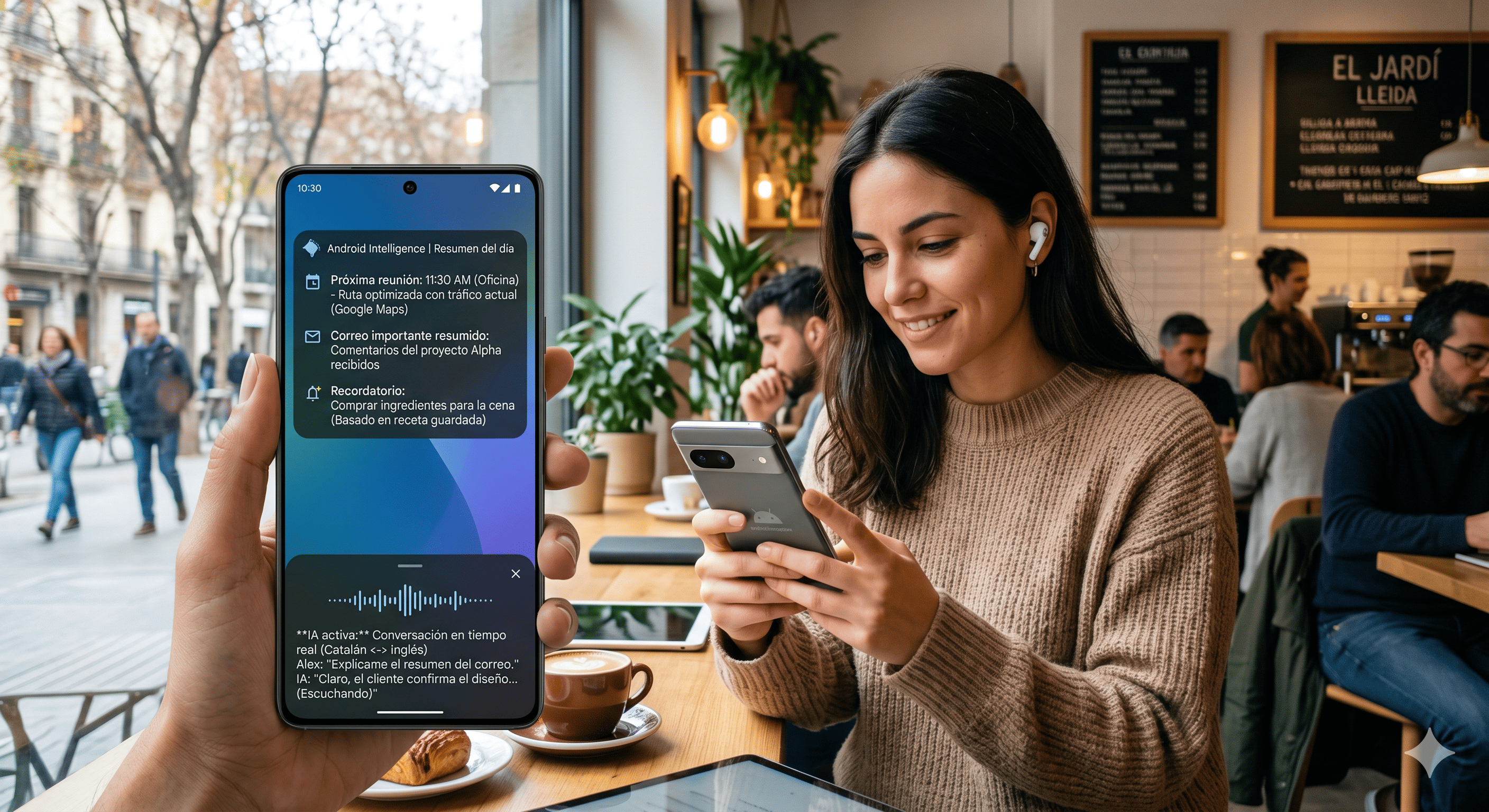
AI updates on Android in 2026
1. Better on-device intelligence for faster responses
The strongest shift in 2026 is improved on-device processing for selected AI tasks. This means some summaries, rewrite suggestions, and intent detection can happen locally, reducing latency and improving privacy for lightweight operations.
What this changes for you:
- Faster smart replies in chats
- Quicker voice command handling
- Better behavior when connection quality is poor
Cloud AI still matters for complex tasks, but daily micro-actions now feel more immediate.
2. Cross-app context becomes more useful
Android AI is getting better at understanding what you are doing across apps without forcing you to manually copy data everywhere. For example, if you are reading an email with a meeting proposal, AI can suggest draft replies, create a calendar entry, and prepare a route estimate with fewer taps.
The real value is orchestration. Instead of opening five apps and repeating the same information, your phone helps maintain context between them.
3. Messaging and writing tools mature beyond autocomplete
2026 writing assistance is less about predicting the next word and more about adapting tone, structure, and clarity. In chat and email workflows, Android AI can now propose:
- Short and direct versions
- Professional rewrites
- Friendly follow-ups
- Language simplification
This is especially useful for multilingual users and people handling many daily conversations. You still need human review, but the first draft is much stronger.
4. Visual AI for camera and screenshots keeps improving
Screenshot understanding and image-based search continue to evolve. You can capture a screen, ask for a quick explanation, extract key details, and jump to relevant actions. In camera use, AI enhancements now focus more on realistic processing than aggressive filters.
Typical use cases:
- Extracting event info from a poster photo
- Summarizing product specs from screenshots
- Identifying landmarks with context hints
These small features reduce friction in research and trip planning.
5. Accessibility gains are one of the best outcomes
Some of the most meaningful AI progress in Android is in accessibility. Better live captioning, image description quality, and speech support are making daily interactions easier for users with visual, hearing, or communication needs.
Accessibility should not be treated as a side feature. In many cases, these improvements also benefit mainstream users in noisy environments, while commuting, or when multitasking.
6. Privacy controls are more visible, but still require user choices
Android 2026 is improving permission dashboards and data flow visibility for AI-powered features. You can now review usage patterns more clearly, but defaults still matter. If you never review app permissions, you lose part of the benefit.
A useful routine is:
- Monthly review of microphone and camera access
- Disable permissions that no longer match current usage
- Keep AI features on only where value is clear
Convenience and privacy can coexist if configuration is intentional.
7. Practical setup to get value without overwhelm
If you want real benefits from AI updates, avoid enabling everything at once. Start with three high-impact areas:
- Writing help in your most-used messaging app
- Smart search and screenshot understanding
- Accessibility or voice control options that match your routine
Then evaluate after two weeks: keep what saves time, disable what adds noise.
Conclusion
Android AI in 2026 is less about one giant feature and more about many small improvements that reduce friction across your day. The best gains appear when context, speed, and privacy controls work together.
Treat AI as a configurable productivity layer, not as a magic replacement for judgment. With selective setup and regular permission reviews, you can get measurable value without sacrificing control.
Image credit
- “Tsuguo Nobe keynote” by itsc2015, licensed under CC BY-SA 2.0. Source: https://www.flickr.com/photos/136150275@N07/21277740410