What is Android dark mode and how to enable it
What is Android dark mode and how to enable it? Everything you need to know
Android dark mode is a feature that changes the appearance of your device interface, using darker colors and reducing brightness. This option has several advantages, such as saving battery, protecting your eyes, and improving visibility in low-light environments.
How do you enable Android dark mode? It depends on the version of the operating system you have installed and your phone manufacturer. In general, there are two ways to do it: from quick settings or from general settings.
From quick settings: Swipe your finger from the top of the screen to access the notification panel and quick settings. Look for the icon that says “Dark mode” or “Dark theme” and tap on it. If you do not see it, you may need to swipe left to see more options or tap the edit button to add it.
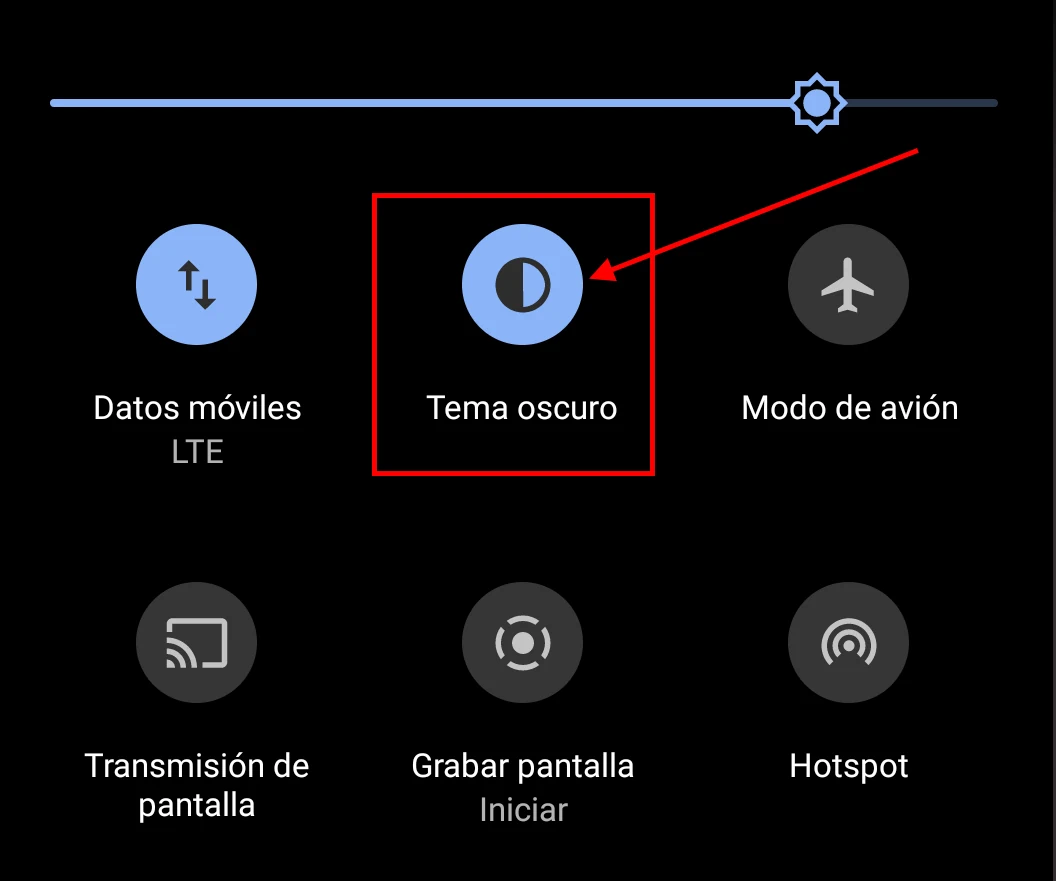
Enable Dark Mode from taskbar
From general settings: Open the Settings app on your device and look for the option that says “Display” or “Display and brightness”. Inside this section, you should see an option that says “Dark mode” or “Dark theme”. Enable it to change your interface appearance.
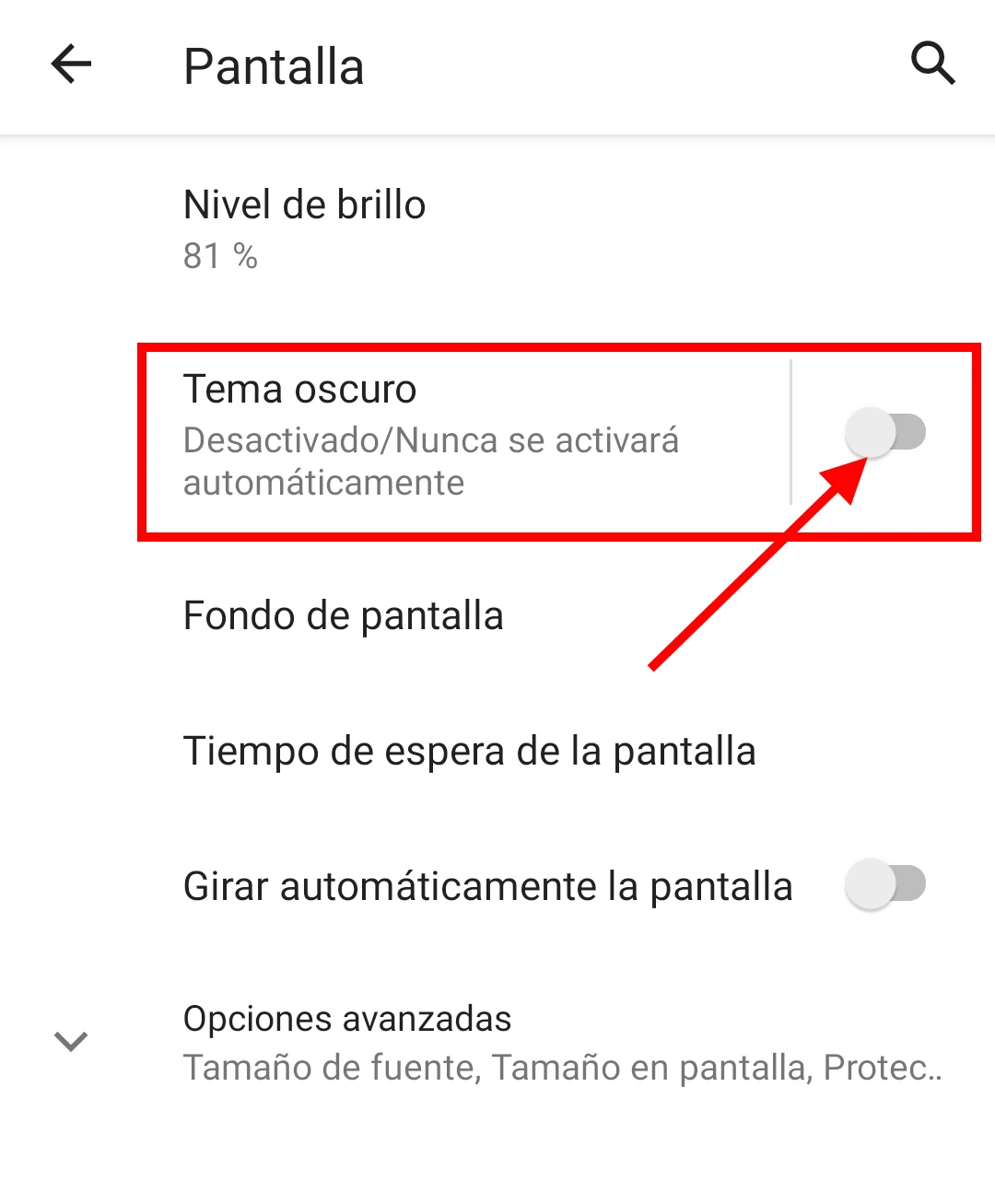
Enable Dark Mode on Android
Some devices also let you schedule dark mode to activate automatically based on the time of day or battery level. To do this, go to general settings and look for the option that says “Schedule dark mode” or something similar. There you can choose when you want this feature to turn on and off.
Android dark mode not only affects the system interface, but also compatible applications. Some apps, like Gmail, YouTube, or Google Maps, adapt automatically to dark mode when you enable it. Others, like WhatsApp or Instagram, have their own setting to change the theme within the app.
Android dark mode is a simple and practical way to customize your device and enjoy its benefits. If you have not tried it yet, we encourage you to do so.